Draw Anime - AR Tracing App
Braly JSCArt & Design
4.51.14K Reviews
- Version
- 1.1.42
- Installs
- 50.00M
- Age Rating
- Everyone
Screenshots
Our Review of Draw Anime - AR Tracing App
 Analysis by Appyee
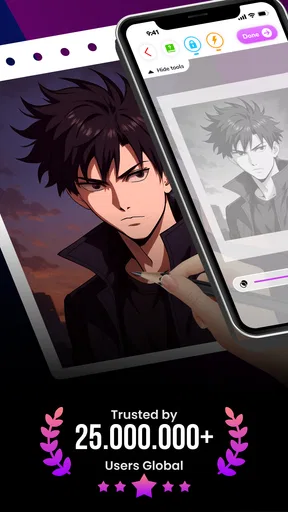
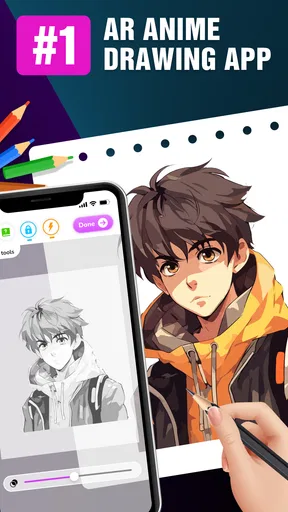
I approached Draw Anime - AR Tracing App as a beginner-friendly drawing tool rather than a full digital art studio. Its central idea is simple: use augmented reality tracing to place an anime reference in front of you, then follow the visible lines on paper. That makes the app interesting for people who want to draw characters but feel stuck when starting from a blank page.
My first impression was that the app is designed to reduce the intimidating part of drawing: deciding where the first line should go. Instead of asking you to build an entire character from memory, it gives you a visual guide to work from. That does not turn drawing into an automatic process, but it does make practice feel more approachable.
The app sits in the Art & Design category and comes from Braly JSC. It is free to install, with optional in-app purchases ranging from under a dollar to about twenty-five dollars per item. The content rating is Everyone, so its general presentation is suitable for a broad audience, including younger learners using it with sensible supervision.
How the tracing approach feels in everyday use
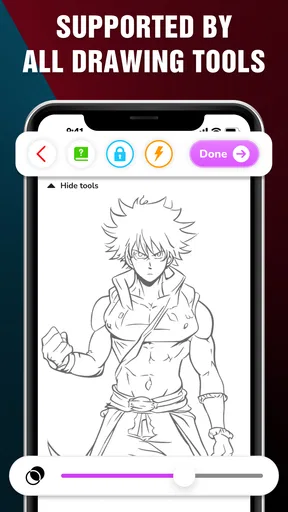
The most useful way to think about this app is as a bridge between a reference image and a physical sketchbook. You choose an anime-style picture, position the phone so the image appears over the page, and use the projected lines as a guide. The phone is not drawing for you; your hand still has to control pressure, speed, proportions, and cleanup.
I found that distinction important. Someone expecting a one-tap finished illustration will probably be disappointed. Someone who wants help understanding the shape of a face, hairstyle, outfit, or pose may find the process much more rewarding. The app gives your eyes a target and your hand a route to follow, which is especially helpful during the first stages of learning.
A realistic use case is a student with a quiet half hour after school. They can place a sheet of paper on a desk, stabilize the phone, and practice one character rather than spending the whole session searching for a reference and guessing at proportions. The result may still need correction, but the session has a clear purpose: observe, trace, compare, and try again.
For the best experience, I would use a firm surface and good, even lighting. A loose phone or a page that shifts halfway through the drawing can make the overlay feel inaccurate even when the original reference is fine. I also recommend lightly marking the main construction shapes first instead of immediately pressing hard with a dark pencil. That makes corrections less frustrating.
Why beginners may enjoy it
The strongest part of the concept is its low entry barrier. Traditional anime drawing tutorials often begin with circles, guidelines, perspective, anatomy, and repeated practice. Those subjects matter, but they can feel like homework before a new artist gets to draw anything recognizable. AR tracing offers a quicker visual reward while still requiring hand movement and attention.
It can also help users notice details they usually overlook. When tracing a face, for example, you become more aware of the distance between the eyes, the angle of the jaw, and the way hair overlaps the head. If you pause to compare your lines with the guide instead of racing to finish, the app becomes more than a copying tool. It becomes a way to study structure.
One useful habit is to trace the same reference more than once. On the first attempt, focus on the outline. On the next, pay attention to proportions and line direction. After that, try drawing the same subject with the guide less central or with only selected parts as reference. This gradual reduction can turn a dependent tracing session into actual practice.
Another practical tip is to divide a complicated illustration into stages. I would begin with the largest shapes, then add the head and body relationship, then move to hair and clothing, and only afterward consider small facial details. Starting with eyelashes or decorative elements can make the drawing look busy while the underlying pose remains uneven.
Where the AR method needs patience
Augmented reality tracing is sensitive to setup. The phone must remain in a useful position while you draw, and your viewing angle can affect how naturally the reference sits over the paper. A small shift may force you to realign the image. That is not a flaw unique to this app; it is an unavoidable trade-off of using a phone as a visual overlay instead of working from a printed image.
This also means the app is less convenient for people who want to draw while commuting, reclining, or moving between locations. A desk, a stable stand, and enough room for your drawing hand make a noticeable difference. If you only want to look at references and sketch freely anywhere, a normal image gallery or drawing tutorial may be more flexible.
The phone can become part of the physical workflow in another way: it occupies the space above the page. That may feel awkward for large drawings or for users who prefer to see the whole sheet clearly. I would keep the paper size modest at first and treat the session as a focused exercise rather than a replacement for a full art table.
Trust, controls, and moments that deserve attention
Because this app uses the camera-oriented idea of AR tracing, I would pay attention to what the app asks for during setup. I prefer granting access only when the feature that needs it is being used, and I would review the permission prompt instead of tapping through automatically. The important point is not to assume that a visual overlay is harmless simply because the app belongs to the art category.
I also recommend checking the device’s app-permission screen after installation. That gives you a direct way to review and change access later. If you stop using the tracing function, you can revisit those controls rather than leaving every permission untouched by habit. This is a small step, but it gives the user more control over how the app interacts with the phone.
Account and purchase choices deserve the same attention. The app is free, but optional purchases are available, so I would look carefully at any unlock screen before confirming. On a shared family device, purchase authentication and parental controls are especially useful. An Everyone rating describes the broad age suitability of the app, but it does not remove the need for an adult to manage spending settings.
I would also avoid treating the app as a private sketchbook without checking the choices visible on your own device. When an app handles images, camera views, or saved work, I prefer to understand whether an action stays local or involves sharing. The safest approach is to use the operating system’s permission controls, read any in-app prompts, and avoid selecting sharing options unless you deliberately want to use them.
That cautious approach does not make the app difficult to use. It simply keeps the user involved in decisions that are easy to overlook when the main goal is drawing. I value apps more when they let me make those choices clearly, and I would apply that standard here rather than assuming anything beyond what is visibly presented.
What the version and popularity tell me
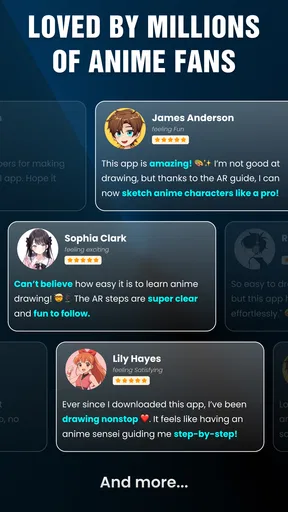
The current version is 1.1.37, and the app has reached over fifty million installs. It also holds a 4.3 average from around one hundred twenty-nine thousand ratings, alongside roughly one thousand one hundred written reviews. Those figures suggest that the concept has broad appeal, but they do not guarantee that every phone, lighting setup, or drawing style will feel equally comfortable.
I read popularity as a reason to try the app, not as proof that it will replace a proper drawing program. A large audience can indicate that the basic idea is easy to understand, while individual satisfaction still depends on screen size, device stability, patience, and expectations. I would judge it after a few deliberate sessions rather than after a rushed first attempt.
The minimum operating-system requirement is Android 7.0. That makes the app accessible on many older Android phones, although the actual comfort of AR tracing will still depend on the device and the physical setup. A phone that struggles with camera-based viewing or has a cramped screen may make alignment more tiring than it needs to be.
How it compares with familiar alternatives
Compared with a standard drawing app, this tool is more physical and more guided. A conventional canvas gives you layers, brushes, undo controls, and freedom to zoom. That is better for coloring, editing, and producing a polished digital illustration. AR tracing is better when your immediate goal is to put pencil on paper and learn by following visible shapes.
Compared with a printed anime reference, the app is more interactive but less effortless. A printout stays still, does not need a battery, and leaves both hands available. The app can offer a more direct overlay, which may help with placement, but it introduces the need to keep the phone positioned correctly. If you are teaching a child basic drawing, a printed reference may be calmer; if the overlay helps them understand proportions, this app may be more engaging.
Compared with video tutorials, the app gives less explanation but more immediate hand practice. A video can explain why a line is placed somewhere, while tracing mainly shows you where the line goes. I would use the two together: watch a short lesson to understand construction, then use the app to rehearse the shapes on paper. That combination is more educational than relying on tracing alone.
Compared with a professional illustration application, this is intentionally narrower. It is not the choice I would make for layered digital painting, detailed color work, typography, or a long-term production workflow. The value is in accessibility and physical practice, not in replacing a complete creative suite.
Who should try it, and who should skip it
I would recommend it to beginners who enjoy anime imagery, parents looking for a guided creative activity, and casual artists who want a quick way to practice outlines on paper. It can also suit someone who has collected drawing references but rarely starts because the blank page feels too demanding.
I would be more cautious about recommending it to advanced artists who already understand construction and want precise digital control. They may find the tracing process restrictive or slower than working directly in a drawing app. I would also suggest skipping it if you dislike holding a phone over your artwork, need a completely offline-feeling workflow, or want detailed instruction rather than visual guidance.
Users with limited desk space should test the setup before committing to purchases. The method works best when the page, phone, and drawing hand can remain comfortable for several minutes. If that arrangement causes neck strain or constant repositioning, the app’s central advantage becomes a source of friction.
Small workflow changes that improve results
I got better results by treating each drawing as a study instead of a finished commission. Before tracing, I decide what I am practicing: head proportions, hair flow, clothing folds, or the overall pose. That single decision prevents me from spending all my attention on tiny details that do not improve the next drawing.
I also keep the first pass light. A faint construction layer gives me room to correct the chin, shoulders, or gesture before committing to the final outline. This is particularly useful with anime faces, where a small change in eye spacing can alter the whole expression. The app supplies guidance, but it cannot decide how much pressure or personality I should put into the line.
For a more independent exercise, I would glance at the guide, look away, and draw a short section from memory. Then I would compare it with the overlay and note the difference. This turns the app into a feedback tool rather than a device that I follow mechanically. It is one of the clearest ways to avoid becoming dependent on tracing.
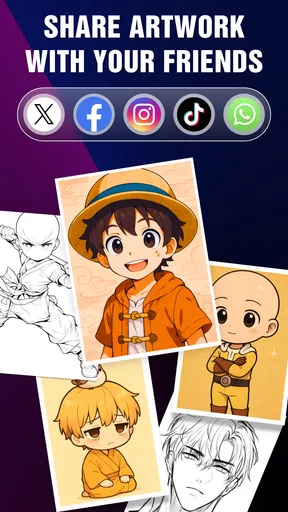
Finally, I would photograph the finished paper only if I genuinely want a record or to share it. Keeping the workflow focused on the physical drawing reduces unnecessary taps and helps separate practice from publishing. That matters to me because creative apps are more enjoyable when I can use them without feeling pushed into extra actions.
My cautious verdict
Draw Anime - AR Tracing App is a convincing entry point for people who want to draw anime characters but need help getting started. Its best quality is not that it makes art effortless; it gives beginners a visible structure to study while their own hand does the work. Used patiently, it can make practice less intimidating and more repeatable.
Its limitations are equally clear. The phone must be positioned well, the physical setup can feel awkward, and tracing alone will not teach every part of drawing. Users should also review permission prompts, device controls, and purchase confirmations instead of assuming that a free install means every choice is automatic or cost-free.
After weighing those points, I see it as a useful practice companion rather than a complete art platform. I would install it for guided paper exercises, use it alongside basic drawing lessons, and gradually rely on the overlay less. The best reason to try it is not to copy a picture perfectly, but to make the first step of learning feel manageable while keeping the creative decisions in your own hands.
Privacy and Permissions
See what permissions an app requests and how it handles your data.
- Location
- approximate location (network-based), precise location (GPS and network-based)
- Photos/Media/Files
- read the contents of your USB storage, modify or delete the contents of your USB storage
- Storage
- read the contents of your USB storage, modify or delete the contents of your USB storage
- Camera
- take pictures and videos
- Wi-Fi connection information
- view Wi-Fi connections
- Other
- view network connections, full network access, control vibration, prevent device from sleeping, Google Play license check
Verdict
Strengths of Draw Anime - AR Tracing App
- Augmented-reality overlays make it easier to follow proportions and basic shapes.
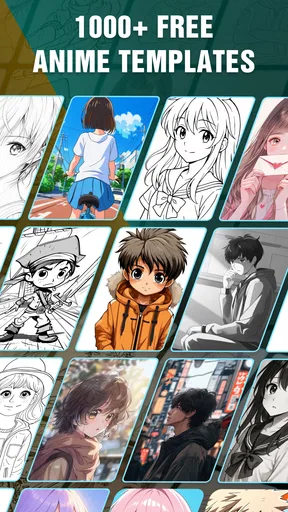
- Includes anime-focused references suitable for beginners practicing character sketches.
- Useful for tracing on paper without needing advanced drawing or editing skills.
- Adjustable image visibility helps balance the reference with your own pencil lines.
- Can provide structured practice for users who struggle to start drawings from scratch.
Limitations of Draw Anime - AR Tracing App
- AR alignment may shift if the phone or drawing surface moves during tracing.
- Requires a suitable phone stand or holder for a comfortable hands-free setup.
- Tracing can limit creative development if users rely on templates too frequently.
- Room lighting and camera quality can affect overlay clarity and tracking accuracy.
- Some content or tools may be restricted behind ads or in-app purchases.
Other Releases by Braly JSC
View All
Artrace: AR Easy Draw & Sketch
Art & Design4.6

Artmate: Drawing Together
Art & Design4.6

Colliz - DIY Wallpaper Craft
Personalization3.4

Draw Cartoon - AR Sketch App
Art & Design4.5
Similar Picks in This Category
View All
Canva: AI Photo & Video Editor
Canva4.8

PENUP – Drawing-sharing SNS
Samsung Electronics Co., Ltd.4.5

Crafto
Kutumb App4.6

Sketchbook
Sketchbook4.1

ibis Paint X
ibis inc.4.5

Adobe Express: AI Photo, Video
Adobe4.6
Frequently Asked Questions
What is Draw Anime - AR Tracing App and how does it work?
Draw Anime - AR Tracing App is a drawing assistant designed to help users trace anime-style characters and illustrations. It typically uses augmented reality to project a selected reference image onto paper through your phone’s camera, allowing you to follow the visible lines with a pencil. The app is intended for learning and practicing proportions, outlines, poses, and basic drawing techniques rather than creating artwork automatically.
Do I need a tripod or any additional equipment to use the app effectively?
A tripod or stable phone holder is strongly recommended, although it may not be absolutely required. The app depends on your camera maintaining a fixed position above the paper, so holding the phone by hand can make the projected image move and make tracing difficult. Good lighting, a flat drawing surface, and a compatible phone stand can significantly improve accuracy and make longer drawing sessions more comfortable.
Can I use my own anime images, or am I limited to the app’s examples?
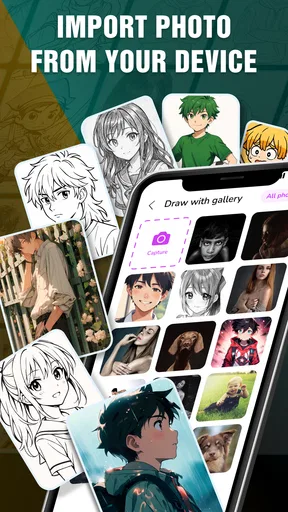
The available image options may depend on the version of Draw Anime - AR Tracing App and the features enabled on your device. Many tracing apps include a built-in collection of anime references, while some also allow users to import pictures from the gallery or capture new ones. Before downloading, check the current app description and permissions to confirm whether custom image importing is supported.
Is Draw Anime - AR Tracing App suitable for complete beginners?
Yes, the app can be useful for beginners because it provides a visual guide instead of requiring users to draw every proportion from memory. It may help newcomers practice facial features, hair, clothing, body shapes, and line control. However, tracing alone does not replace learning fundamentals, so users should gradually compare traced results with freehand sketches to develop genuine drawing confidence and technique.
Is the app free, and does it require internet access or special permissions?
Draw Anime - AR Tracing App may be available as a free download, but some tools, image collections, or advanced functions can be restricted by advertisements or optional in-app purchases. Camera access is generally necessary for the augmented-reality tracing experience, and storage or photo permissions may be needed if importing or saving images. Internet access may also be required for ads, downloads, or certain online features.
